According to research published in the annual CompTIA IT Industry Outlook report, 61% of small and mid-sized enterprises now identify unmanaged technology debt and security vulnerabilities as their primary operational risk. For years, smaller enterprises treated information technology as a reactive utility: employees called an ad-hoc technician only when an office printer broke down or an email server crashed. In 2026, technology architecture directly dictates employee productivity, regulatory data privacy, and commercial continuity. Implementing structured it solutions for small business is no longer an optional overhead cost; it is the operational spine of a growing company.
Modern small business technology stacks require unified integration across multiple domains. Companies must coordinate managed helpdesk support, multi-tenant cloud collaboration suites, endpoint encryption, automated off-site backups, and strict compliance controls. Aligning company operations with recognized governance standards such as the NIST Cybersecurity Framework guidelines protects corporate balance sheets from catastrophic extortion attacks, unexpected system blackouts, and regulatory penalties.
This strategy guide breaks down the essential IT solutions available to small businesses in 2026, providing operational leaders with clear frameworks for evaluating Managed Service Providers (MSPs), calculating total cost of ownership, and building a scalable technology roadmap.
Quick Answer: What Are the Most Critical IT Solutions for Small Business in 2026?
The most critical IT solutions for small businesses include proactive Managed IT Services (helpdesk and remote monitoring), multi-layered cybersecurity (endpoint protection and MFA), scalable cloud infrastructure (Microsoft 365 or Google Workspace), immutable automated backups (the 3-2-1 backup model), and Unified Communications as a Service (VoIP). Rather than hiring expensive in-house teams or relying on break-fix repair technicians, high-performing small businesses partner with dedicated Managed Service Providers (MSPs) under fixed monthly service agreements that deliver continuous monitoring, guaranteed response SLAs, and virtual CIO (vCIO) strategic oversight.
Key Takeaways for Business Owners and Operations Directors
- Proactive Prevention Beats Break-Fix: Break-fix maintenance models create misaligned incentives where technicians only profit when your systems fail. Fully managed IT models prioritize uptime and preventative patching.
- Layered Defense Is Non-Negotiable: Antivirus software alone is obsolete. Small businesses require Endpoint Detection and Response (EDR), hardware-token Multi-Factor Authentication (MFA), and employee phishing simulations.
- The 3-2-1 Backup Standard: Maintain three copies of business data across two different storage media, with at least one immutable copy located in an isolated off-site cloud vault.
- Predictable Per-Seat Budgeting: Professional managed services typically cost between $100 and $250 per user per month, eliminating sudden capital expenditure shocks.
- Cross-System Integration: IT infrastructure must integrate securely with corporate financial systems, such as enterprise accounting and bookkeeping software and industrial asset tracking systems.
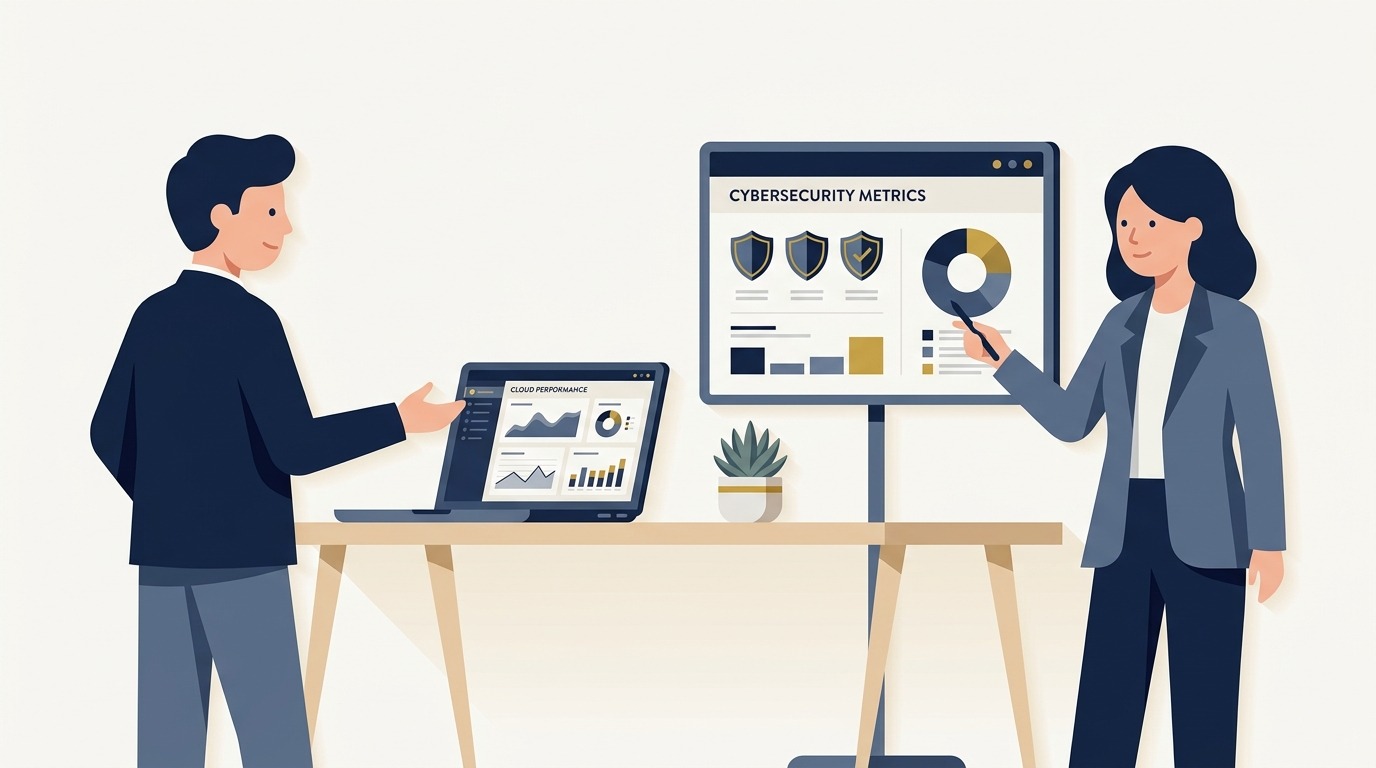
Flat vector editorial illustration of a corporate business executive and IT consultant evaluating real-time infrastructure metrics and cybersecurity telemetry.
The Five Core Pillars of Modern Small Business IT Architecture
A resilient technology infrastructure is built on five interconnected layers. When small businesses neglect any single pillar, the remaining systems become vulnerable to bottlenecks and security breaches.
1. Proactive Managed IT Support and Network Administration
Managed IT services provide ongoing technical administration for workstations, servers, network switches, and mobile devices. Instead of waiting for a hardware crash, an MSP deploys Remote Monitoring and Management (RMM) software agents across all endpoints. These agents run 24 hours a day, monitoring operating system health, installing security patches during scheduled maintenance windows, and flagging impending hardware failure before an employee loses work.
Modern service contracts include dedicated tier-1 to tier-3 helpdesk support reachable via phone, instant chat, or ticketing portals. Technicians resolve typical user challenges, such as password resets, software permissions, and driver conflicts, in minutes through secure remote desktop sessions.
2. Cloud Workspace Infrastructure and Identity Governance
On-premise servers with noisy cooling fans in back office closets have largely given way to modern cloud productivity suites. Platforms like Microsoft 365 and Google Workspace centralize document collaboration, video conferencing, and corporate email into cloud environments with 99.9% uptime guarantees.
Cloud infrastructure centralizes Identity and Access Management (IAM). Administrators enforce role-based access control, meaning departing contractors lose company access in a single click, and remote staff access company files through encrypted single sign-on (SSO) gateways protected by conditional access policies.
3. Multi-Layered Cybersecurity and Threat Mitigation
According to advisory bulletins issued by the Cybersecurity and Infrastructure Security Agency alerts, 43% of all cyberattacks deliberately target small businesses because attackers recognize that mid-market companies frequently possess enterprise-grade data but entry-level defenses. A modern cybersecurity strategy deploys defensive layers in depth:
- Next-Generation Antivirus (NGAV) and EDR: Behavioral threat monitoring tools like SentinelOne and CrowdStrike that detect and isolate zero-day ransomware execution in milliseconds.
- Mandatory Multi-Factor Authentication: Requiring push notifications or hardware security keys (such as YubiKeys) across all company accounts, rendering stolen passwords useless.
- Email Security Gateways: Advanced filtering engines that inspect incoming links, quarantine spoofed sender domains, and block spear-phishing payloads.
- Employee Security Awareness Training: Monthly automated phishing simulations that train staff to identify social engineering tactics.
4. Automated Backup and Business Continuity (BDR)
Data loss can occur through ransomware encryption, accidental file deletion, or physical office flooding. Basic consumer cloud sync tools like personal Dropbox or OneDrive accounts do not constitute a disaster recovery strategy because synchronized ransomware will immediately encrypt the cloud copy as well.
Commercial IT solutions implement dedicated Business Continuity and Disaster Recovery (BCDR) appliances. These systems capture block-level image snapshots of company servers and databases every hour, storing copies locally for instant restoration and transmitting encrypted replicas to geographically diverse cloud vaults. In a catastrophic hardware failure, administrators can spin up a virtual server instance in the cloud within 30 minutes, allowing staff to resume operations with minimal disruption.
5. Unified Communications and Secure Collaboration (UCaaS)
Modern hybrid work demands cloud-based communication systems that free employees from physical desk landlines. Unified Communications as a Service (UCaaS) platforms combine business Voice over IP (VoIP), team chat, SMS messaging, and video conferencing into a single client that runs on mobile phones, tablets, and laptops.
Centralized VoIP systems allow small businesses to present a professional corporate image with automated digital receptionists, call routing rules, and seamless call recording for customer service quality assurance.
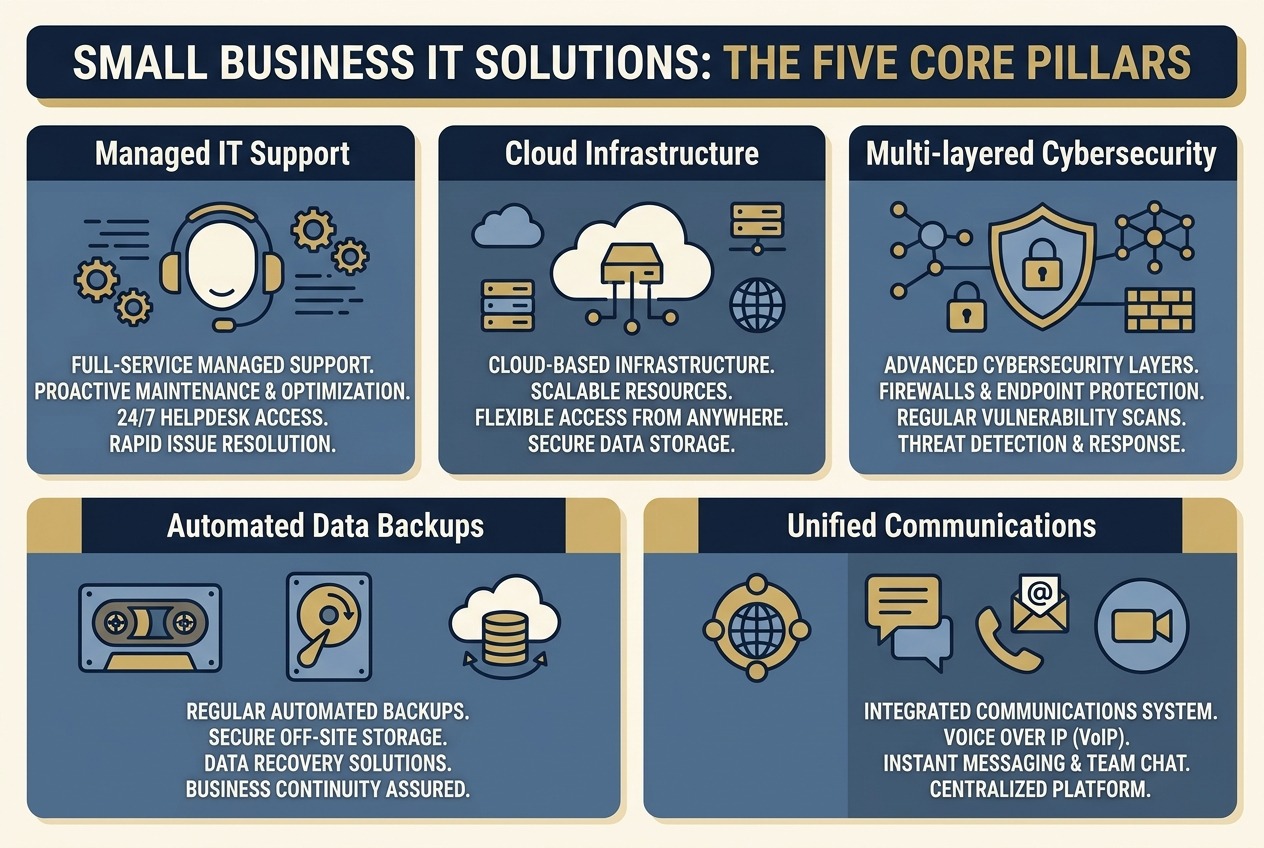
The five core operational pillars of small business IT architecture: managed support, cloud systems, cybersecurity, automated backups, and unified communications.
Core IT Solutions Architecture Comparison
When structuring your technology budget, comparing functional scope, operational impact, and typical pricing models ensures you allocate capital toward high-yield priorities:
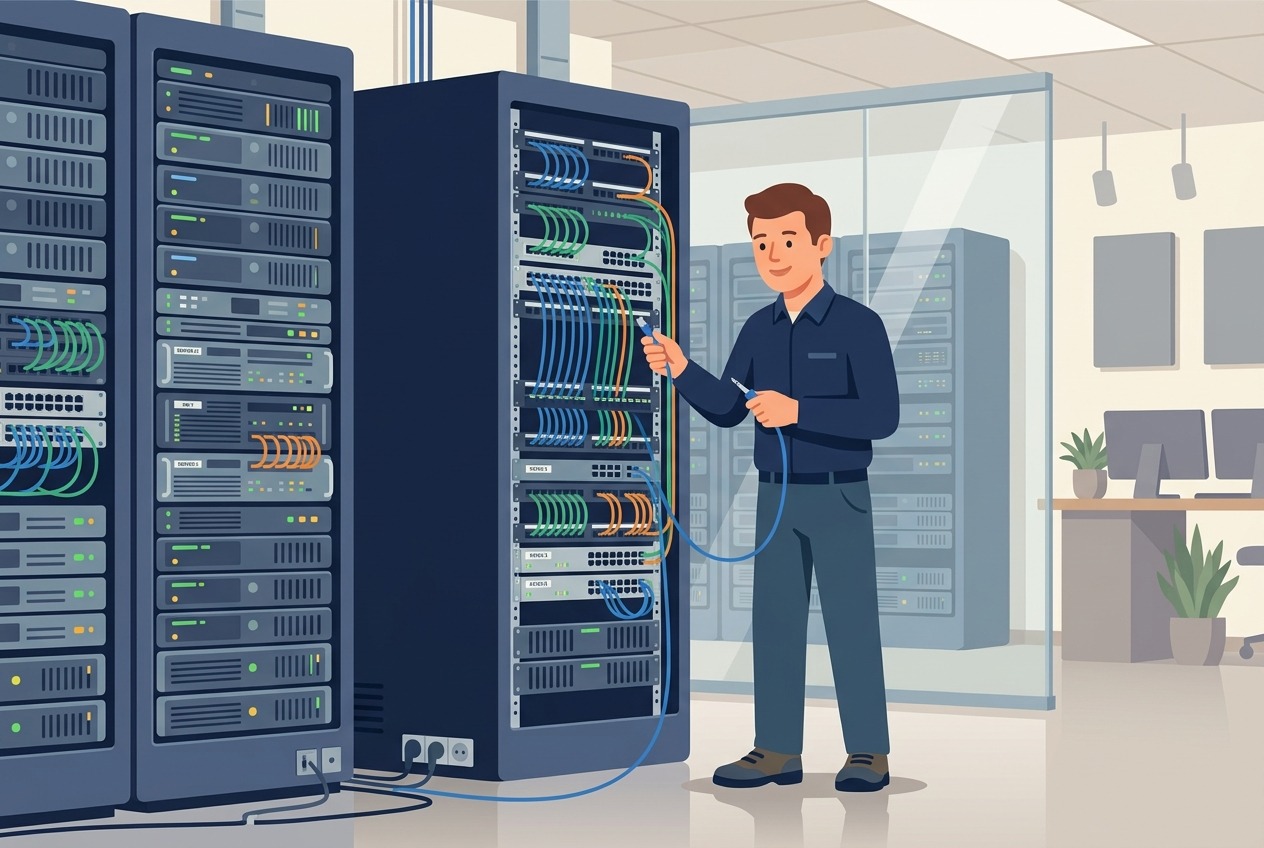
Flat vector illustration of a certified network engineer configuring enterprise switch racks, firewall routers, and structured office cabling.
In-House IT vs. Outsourced MSP vs. Co-Managed IT: Total Cost of Ownership
Small business leadership often struggles to determine when to hire internal IT personnel versus engaging an external Managed Service Provider. Evaluating the total economic impact requires analyzing direct payroll, software licensing, training, and risk coverage:
The Risk of the Lone IT Generalist
Hiring a single internal IT coordinator is a common milestone for companies crossing 25 employees. However, relying on one person exposes the company to severe vulnerabilities. A single employee cannot be an expert in firewall configurations, cloud database governance, compliance auditing, and desktop troubleshooting simultaneously. Furthermore, when that employee takes vacation or resigns, the company has no technical coverage and risks losing administrative passwords and architectural documentation.
How Co-Managed IT Solves Mid-Market Scaling
For businesses with 40 to 150 employees, the co-managed model offers ideal operational balance. The internal IT leader focuses on high-value business initiatives, such as custom software deployments or physical facility expansions managed via the best CMMS software and maintenance management systems. Simultaneously, the partner MSP supplies the enterprise software stack (RMM, SIEM, ticketing tools) and handles overnight server patching and routine user helpdesk requests.
How to Select and Audit a Managed Service Provider (MSP)
Selecting an IT partner requires conducting structured due diligence. Never sign a multi-year IT contract based solely on sales demonstrations. Evaluate prospective vendors against these four operational benchmarks:
- Guaranteed Response Time Service Level Agreements (SLAs): Demand clear contract definitions distinguishing response time from resolution time. Top-tier providers guarantee a 15-minute response for critical outages (such as entire office network down) and a 1-hour response for standard user workstation tickets.
- Tooling Ownership and Portability: Verify that documentation regarding your network credentials, server topology, and domain registrar accounts is stored in a structured documentation portal (such as IT Glue) that you can export at any time. Avoid MSPs that withhold admin passwords or treat documentation as proprietary leverage.
- Cybersecurity Insurance Alignment: Commercial cyber insurance carriers now impose stringent policy requirements before issuing coverage. Your MSP must certify that their management practices enforce hardware-based MFA, centralized audit logging, and immutable backups that meet insurance underwriting criteria.
- Quarterly Strategic Business Reviews (vCIO Services): A true technology partner meets with executive leadership every quarter to review hardware replacement roadmaps, upcoming software license renewals, and IT budget projections for the next 12 to 24 months.
Five-Step Small Business IT Implementation Roadmap
Transforming disorganized technology into a secure operational asset requires executing a disciplined five-step sequence:
- Complete an Exhaustive IT Asset and Security Audit: Catalog every laptop, desktop, network switch, wireless access point, and SaaS subscription active across the business. Identify legacy equipment running outdated operating systems that no longer receive security updates.
- Lock Down Identity and Access Controls: Enforce mandatory Multi-Factor Authentication across corporate email, financial accounts, and cloud storage. Implement strict password manager policies to eradicate shared spreadsheets containing plaintext passwords.
- Standardize Hardware and Operating Environments: Phase out mixed consumer hardware in favor of commercial-grade business laptops equipped with trusted platform modules (TPMs) and centralized device management agents. Standardizing hardware drastically reduces troubleshooting complexity.
- Deploy Automated 3-2-1 Backups and Test Restorations: Implement automated cloud image backups for all operational databases and documents. Schedule a routine restoration drill every six months to verify that backups actually restore cleanly within targeted recovery time objectives.
- Establish Formal Technology Policies and Onboarding Checklists: Document standard operating procedures for new employee workstation provisioning, acceptable internet use, data classification, and rapid account termination upon employee departure.
Frequently Asked Questions
How much should a small business spend on IT solutions per month?
Small businesses typically allocate 3% to 6% of gross annual revenue to information technology. Under an outsourced Managed Service Provider model, expect to spend between $120 and $250 per user per month. This investment encompasses 24/7 helpdesk support, remote monitoring, cloud productivity licenses, endpoint cybersecurity protection, and automated cloud backup services.
What is the difference between break-fix IT and managed IT services?
Under a break-fix model, you pay an hourly rate to an independent technician only after an equipment failure occurs. This creates misaligned incentives because the vendor benefits from your downtime. Under managed IT services, you pay a predictable monthly fee to a partner who continuously maintains your network, applies security patches, and prevents issues before they cause costly downtime.
How often should small businesses replace company computers and servers?
Workstations and employee laptops should follow a 3-year to 4-year lifecycle replacement cadence. After four years, hardware failure rates increase substantially, and machine performance degrades, hurting employee productivity. Physical on-premise servers typically require replacement every 5 years, though migrating workloads to cloud platforms often eliminates on-premise server refresh costs entirely.
Does our small business really need an off-site cloud backup if we use OneDrive or Google Drive?
Yes. Cloud synchronization tools like OneDrive and Google Drive synchronize live changes in real time. If an employee workstation is infected with ransomware or an employee accidentally deletes a shared folder, the corrupted files sync directly to the cloud. A dedicated Business Continuity and Disaster Recovery (BCDR) solution maintains immutable, version-controlled backup snapshots that cannot be modified or encrypted by malware.
What cybersecurity certifications or frameworks should small businesses follow?
Small businesses should follow the NIST Cybersecurity Framework (CSF) Core functions: Identify, Protect, Detect, Respond, and Recover. In the United Kingdom, achieving the government-backed Cyber Essentials certification demonstrates that your organization has implemented basic technical controls protecting against 80% of common cyber threats.
Strategic Next Steps for Leadership
Investing in reliable it solutions for small business is a fundamental strategic decision that protects operating margins, safeguards sensitive customer data, and accelerates business scalability. Operations that transition from chaotic reactive fixes to disciplined managed infrastructure create a dependable foundation that supports sustainable commercial growth.
Begin by scheduling a full security and network vulnerability assessment with a vetted Managed Service Provider. Review your current disaster recovery recovery time objectives (RTO), verify that multi-factor authentication protects every company account, and establish a predictable per-seat technology budget before finalizing your annual operating plan.