wMore than 94% of businesses worldwide already use some form of cloud computing. That number keeps growing every year, and small businesses are a big reason why. The cloud is no longer just for big corporations with massive IT budgets.
If you run a small business, you have probably felt the pressure of doing more with less. You need tools that work well, cost a fair price, and do not require a full-time IT team to manage. Cloud computing checks all three of those boxes.
This guide will walk you through everything you need to know about cloud computing for small business. You will learn what it is, why it matters, how much it costs, and how to pick the right tools for your specific needs. No technical background is required to follow along.
What Is Cloud Computing in Simple Terms?
Cloud computing means using the internet to store data, run software, and access tools instead of doing those things on a physical computer or server in your office. Think of it like renting power instead of buying a generator. You pay for what you use, and someone else handles the maintenance.
Before the cloud, small businesses had to buy expensive servers, install software on every computer, and hire someone to fix things when they broke. That was costly and time-consuming. Cloud computing changed all of that.
When you use Gmail, Google Drive, or QuickBooks Online, you are already using the cloud. The data lives on remote servers maintained by the service provider. You access it through your browser or an app, and it works from anywhere with an internet connection.
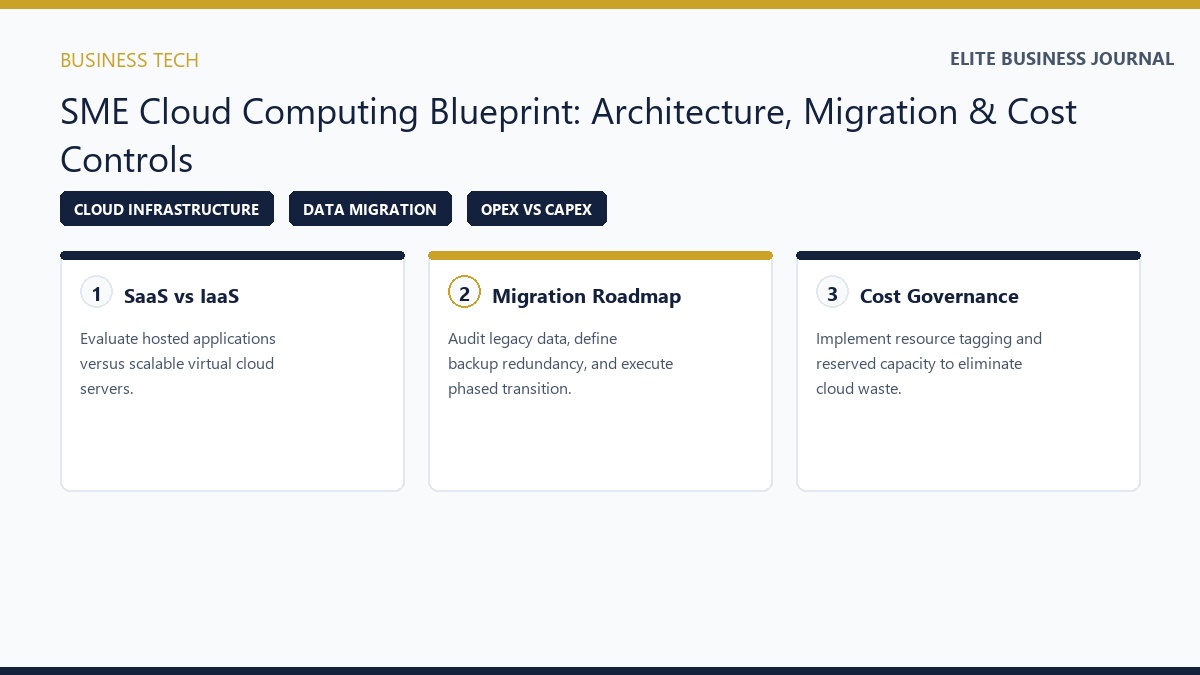
There are three main types of cloud services. Infrastructure as a Service (IaaS) gives you virtual computing power. Platform as a Service (PaaS) gives developers tools to build apps. Software as a Service (SaaS) gives you ready-to-use software through a subscription. For most small businesses, SaaS is the most practical and affordable starting point.
The Real Benefits of Cloud Computing for Small Business
Let us get straight to what matters most. Cloud computing saves small businesses money, time, and stress. Those are not empty promises. They are backed by real numbers and real results.
Lower IT costs are the first major benefit. With cloud services, you skip the cost of buying and maintaining physical servers. You pay a monthly or yearly subscription instead of a large upfront investment. A small business can easily save thousands of dollars per year by switching from on-site hardware to cloud-based tools.
Access from anywhere is another huge advantage. Your team can log in from home, a coffee shop, or a client site and get work done. This became especially important during the pandemic, and it continues to matter as more businesses embrace flexible work arrangements. Your data goes where your people go.
Cloud platforms also grow with your business. If you hire five new employees next month, you can add five new user accounts the same day. You do not have to buy more hardware or upgrade your server. You just adjust your plan. That kind of flexibility is hard to match with traditional IT setups.
Finally, cloud providers invest heavily in security and reliability. Companies like Microsoft, Google, and Amazon have entire teams dedicated to keeping your data safe. Most small businesses could never afford that level of protection on their own. You get enterprise-grade security at a small business price.
Common Concerns Small Business Owners Have About the Cloud
It is fair to have questions before making a change this big. Many small business owners worry about data security, internet dependence, and hidden costs. These are valid concerns, and they deserve honest answers.
Data security is the most common worry. People want to know if their files are safe on someone else’s server. The truth is that reputable cloud providers use strong encryption, multi-factor authentication, and regular security audits. Your data is often safer in the cloud than it is on a laptop that could be stolen or a hard drive that could fail.
Internet reliability is another concern. Cloud tools do require a stable internet connection to work properly. If your internet goes down, access to cloud services goes down with it. The good news is that most modern internet connections are reliable, and many cloud apps let you work offline and sync your changes later.
Costs can feel confusing at first because cloud pricing models vary a lot. Some providers charge per user per month. Others charge based on storage used or features enabled. The key is to understand exactly what you are paying for before you sign up. Always read the pricing page carefully and avoid paying for features you will never use.
Switching to the cloud does take some initial effort. You may need to move existing files, train your team, and adjust a few workflows. Most providers offer free trials, tutorials, and customer support to help you through the process. The short-term adjustment is worth the long-term gain.
Types of Cloud Services Most Useful for Small Businesses
Not every cloud service will fit every business. Your best options depend on what you sell, how many employees you have, and what problems you are trying to solve. Here is a breakdown of the most useful categories.
Cloud storage and file sharing tools let you store documents, photos, and files online and share them with your team. Google Drive, Dropbox, and Microsoft OneDrive are the most popular options. These tools eliminate the need for USB drives and email attachments, and they make collaboration much easier.
Cloud-based accounting software is a must for small businesses. QuickBooks Online, FreshBooks, and Xero let you manage invoices, track expenses, and run payroll from any device. Your accountant can also log in remotely, which saves time and reduces errors during tax season.
Customer relationship management (CRM) tools in the cloud help you track leads, manage customer data, and improve your sales process. HubSpot CRM offers a free plan that works well for small businesses. Salesforce is a more powerful option for businesses that need advanced features.
Project management platforms like Asana, Trello, and Monday.com help teams stay organized without drowning in emails. You can assign tasks, set deadlines, and track progress all in one place. These tools work great for remote and hybrid teams.
Communication tools like Slack, Microsoft Teams, and Zoom run entirely in the cloud. They replace or reduce the need for long email chains and make real-time collaboration possible no matter where your team is located.
How Much Does Cloud Computing Cost for a Small Business?
Cost is often the deciding factor for small business owners. The good news is that cloud computing is much more affordable than most people expect. You can start with free plans and scale up as your needs grow.
Many tools offer a free tier that covers basic features. Google Workspace starts at $6 per user per month for business email, cloud storage, and collaboration tools. Microsoft 365 Business Basic starts at $6 per user per month as well. Both are solid options for small teams.
| Service Type | Example Tool | Starting Price |
|---|---|---|
| File Storage | Google Drive | Free / $6 per user/month |
| Accounting | QuickBooks Online | $30 per month |
| CRM | HubSpot CRM | Free / $20 per month |
| Project Management | Trello | Free / $5 per user/month |
| Communication | Slack | Free / $7.25 per user/month |
Before committing to any platform, visit software comparison sites like Capterra where you can compare detailed pricing and features across dozens of cloud tools based on real user reviews. A small business with five employees can get fully set up on cloud tools for as little as $100 to $300 per month. Compare that to the cost of buying servers, installing software licenses, and paying an IT person to manage everything. The math almost always favors the cloud.
Keep in mind that costs can add up if you subscribe to too many tools. Be selective. Choose tools that cover the most ground and eliminate overlap wherever possible. Many businesses find that one or two core platforms can replace five or six smaller ones.
How to Choose the Right Cloud Provider for Your Business
Picking the right cloud provider is not about finding the most popular name. It is about finding the best fit for your business. Here are the most important factors to weigh before making a decision.
Ease of use matters a lot. If your team cannot figure out a tool in a few days, it will not get used properly. Look for platforms with clean interfaces, good mobile apps, and strong onboarding resources. Free trials are your best friend here. Use them before you commit.
Customer support quality can save you a lot of headaches. Some providers offer 24/7 phone and chat support while others only offer email tickets with slow response times. If your business depends on a tool, you need to know that help is available when something goes wrong.
Data storage and compliance requirements vary by industry. If you handle medical records, you need a provider that meets HIPAA standards. If you work with European customers, you may need to comply with GDPR rules. Always check whether a provider meets the legal standards for your industry before signing up.
Integration with your existing tools is also critical. The best cloud platforms connect easily with the other software you already use. Check the integrations list before choosing any new tool. The more your tools talk to each other, the less manual work your team has to do.
Reliability and uptime should be non-negotiable. Look for providers that guarantee 99.9% uptime or higher. Read their service level agreements carefully. A tool that goes down frequently will cost you more in lost productivity than it saves in subscription fees.
Step-by-Step Guide to Moving Your Small Business to the Cloud
Making the switch to cloud computing does not have to happen all at once. A phased approach works well for most small businesses because it reduces disruption and gives your team time to adjust.
1: Audit what you currently use.
Write down every piece of software, every file storage method, and every communication tool your business relies on. This gives you a clear picture of what needs to replace or change. Many businesses discover during this step that they are already using several cloud tools without realizing it.
2: Identify your biggest pain points.
Where are you losing the most time? Where does miscommunication happen most often? and here do you spend the most on IT? Start your cloud transition by solving the biggest problems first. This builds momentum and gets your team excited about the change.
3: Research and test cloud solutions.
Use free trials to test two or three tools in each category you want to improve. Get input from the people on your team who will use these tools daily. Their feedback will help you avoid picking something that looks great on paper but fails in practice.
4: Migrate your data carefully.
Moving files and data to the cloud takes planning. Back up everything before you start. Major cloud providers offer free migration resources to help you through the process. Microsoft’s cloud migration guide walks you through planning, preparation, and execution in detail, even if you’re not using Azure. Take your time and verify that everything transferred correctly before deleting old files.
5: Train your team.
Even the best tool will fail if your team does not know how to use it. Schedule a short training session and create a simple reference guide they can come back to. Most cloud platforms have free video tutorials and help centers that make training straightforward.
6: Monitor and adjust.
After the switch, check in regularly to see how things are going. Are people using the new tools? Are they saving time? and are there features you are paying for but never using? Adjust your subscriptions and settings as needed to get the best value.
Cloud Security: What Small Businesses Need to Know
Security is one of the most serious topics in cloud computing. Small businesses are frequently targeted by cybercriminals because they often have weaker defenses than large companies. Moving to the cloud improves your security posture, but you still need to take a few steps on your end.
Use strong passwords and multi-factor authentication (MFA). MFA requires users to verify their identity with a second method, like a code sent to their phone, in addition to their password. This one step blocks the vast majority of unauthorized login attempts. Every cloud platform worth using supports MFA, and you should turn it on immediately. The Cybersecurity and Infrastructure Security Agency (CISA) offers comprehensive cybersecurity resources for small businesses that can help you build stronger defenses beyond just cloud tools.
Control who has access to what. Not every employee needs access to every file or tool. Set up user permissions so that people can only see and edit what they need for their specific job. This limits the damage if an account ever gets compromised.
Back up your cloud data regularly. Cloud providers protect against many threats, but they do not guarantee protection against accidental deletion or account-level data loss. Use a secondary backup solution to keep a copy of your most important data in a separate location. Many affordable tools automate this process.
Train your team to spot phishing attacks. Most security breaches start with a phishing email. These are fake messages designed to trick employees into clicking bad links or entering login credentials on fake websites. Run regular, brief training sessions to help your team recognize these threats and report them quickly.
Cloud Computing and Remote Work: A Perfect Match
Remote work and cloud computing go hand in hand. When your team is not all in the same place, you need tools that keep everyone connected and productive. The cloud makes that possible without requiring complicated technical setups.
Cloud-based communication tools like Microsoft Teams and Slack let your team chat, share files, and hold video meetings from any device. Project management tools like Asana or Trello keep tasks organized and deadlines visible so no one falls behind. Shared cloud storage means everyone is always working on the latest version of a file, not an outdated copy sitting on their local computer.
Remote work also creates opportunities to hire talent outside your local area. If your tools are all cloud-based, geography becomes far less of a barrier. You can bring on a great accountant from another city or a skilled designer from another state without skipping a beat. That kind of flexibility gives small businesses a real competitive advantage.
The key to making remote work with cloud tools successful is setting clear expectations. Decide how your team will communicate, how files will be organized, and how projects will be tracked. With the right cloud setup and clear processes, remote teams can be just as productive as in-person ones, sometimes more so.
Real Examples of Small Businesses Winning with Cloud Computing
Seeing how other small businesses use cloud computing can help you spot opportunities in your own operation. These examples are not rare success stories. They represent everyday results that thousands of small businesses experience after making the switch.
A small accounting firm with eight employees moved from a local server to Microsoft 365. They saved $15,000 in hardware costs in the first year alone. Their team now works from anywhere without using a clunky VPN connection. Client file sharing became faster and more secure overnight.
A retail shop with two locations started using Square for payments and Shopify for online sales, both cloud-based platforms. They can now see real-time inventory, sales data, and customer trends from a single dashboard. Before, they spent hours each week manually reconciling data between two separate systems.
A small marketing agency with twelve employees switched to Google Workspace and HubSpot CRM. Their team collaboration improved significantly because everyone could access and edit the same documents in real time. Client communication became more organized, and the agency stopped losing leads because follow-up tasks were now tracked automatically.
These results are not the exception. They are what happens when small businesses match the right cloud tools to their real problems. The technology is already there. The question is whether you are using it.
The Future of Cloud Computing for Small Business
Cloud technology keeps getting better and more affordable every year. Features that were once available only to large enterprises are now accessible to businesses with just a handful of employees. This trend is not slowing down.
Artificial intelligence is becoming a built-in feature of many cloud tools. Tools like Microsoft Copilot, Google Gemini, and HubSpot AI can now draft emails, summarize documents, analyze sales data, and suggest next steps automatically. Small businesses that adopt these tools early will save significant time and gain a real edge over competitors who are slower to adapt.
Cloud pricing is also becoming more flexible. Pay-as-you-go models mean you only pay for what you actually use. This is a better fit for businesses with seasonal revenue swings or unpredictable growth patterns. You are no longer stuck paying for capacity you do not need during slower months.
Cybersecurity tools in the cloud are improving quickly as well. AI-powered threat detection can now spot unusual account activity and flag it before it becomes a serious problem. These protections are being built directly into the platforms small businesses already use, making it easier to stay safe without hiring a dedicated security professional.
Small businesses that build their operations on a solid cloud foundation today will be better positioned to take advantage of every improvement that comes next. The tools will keep getting more powerful, and businesses already on the cloud will be first in line to benefit.
Quick Checklist Before You Choose a Cloud Service
Before you sign up for any cloud tool, run through these basic checks to make sure you are making a smart choice.
- Does the tool offer a free trial so you can test it before paying?
- Is the pricing transparent and clearly listed on the website?
- Does it integrate with the other tools your business already uses?
- What is the uptime guarantee, and does the provider publish outage history?
- Is customer support available through the channels your team prefers?
- Does the platform meet any industry-specific compliance requirements you have?
- Are there user reviews from businesses similar to yours that confirm it works as advertised?
Taking fifteen minutes to answer these questions before signing up can save you weeks of frustration and hundreds of dollars in wasted subscriptions.
The Right Time to Start Is Now
Cloud computing is not a trend that might fade out. It is the foundation of how modern businesses operate, and it is here to stay. Small businesses that embrace it gain real advantages: lower costs, better tools, stronger security, and the freedom to work from anywhere.
You do not need a big IT department or a large budget to get started. Many of the best cloud tools have free plans or low-cost starting tiers that are more than enough for a small team. The barrier to entry has never been lower.
Start small if you need to. Pick one area of your business where things feel slow or messy, and find a cloud tool that fixes it. Test it, learn it, and let your team get comfortable with it. Then move on to the next area. Over time, your entire operation will run more smoothly and cost less to maintain.
The businesses that will thrive in the next decade are the ones building smart, flexible operations today. Cloud computing gives you the infrastructure to do exactly that. You have everything you need to get started. Take the first step this week.