Sales reps spend roughly 17% of their working day hunting for information — most of it buried inside vague or missing CRM notes. That’s nearly one full day every week lost to a problem you can fix with a single, well-built template.
If your team’s CRM notes look like “Called Sarah — will follow up”, you already feel the damage. Context disappears. Handoffs become guesswork. New team members inherit records that tell them almost nothing. And every customer interaction starts cold, even when it shouldn’t.
This article gives you a ready-to-use CRM notes template — one your whole team can adopt today, without designing a system from scratch. You’ll get the exact fields to include, a filled-in real-world example, and practical advice on making it stick across your team. If you want the full framework behind this template, see our guide to structuring contact notes in your CRM.
Why Most CRM Notes Fail Your Team
Most CRM notes fail for one reason: people write them for themselves, not for their teammates. A note that makes sense to you in the moment tells your colleague almost nothing three weeks later.
According to Salesforce’s State of Sales report, sales reps who maintain high-quality CRM data close deals at measurably higher rates — yet fewer than half of all businesses have a documented standard for how notes should be written. That gap is where context, deals, and customer trust quietly disappear.
The fix isn’t asking people to write more. It’s giving them a clear structure so every note answers the same core questions — regardless of who wrote it or when.
What a CRM Notes Template Actually Is
A CRM notes template is a pre-set structure that every team member follows when logging a customer or prospect interaction. Think of it as a short form you mentally fill out after every call, email exchange, or meeting — one that captures the right details every single time.
It’s not a novel. A good CRM note takes two to three minutes to write, but saves ten minutes the next time anyone on your team touches that account. The goal is consistency, not comprehensiveness.
You don’t need expensive software to use one. Most CRM platforms — from HubSpot to Salesforce to Zoho — let you paste a template directly into the notes field.
The 7-Field CRM Notes Template (Copy and Use Today)
Here’s the exact template your team can start using immediately. Paste this into your CRM notes field and fill in each section after every customer interaction.
CRM NOTE TEMPLATE
Date & Time: [DD/MM/YYYY — HH:MM]
Contact Name: [Full name + job title]
Interaction Type: [Call / Email / Meeting / Demo / Other]
Who Was Involved: [Your name + any other team members present]
Summary (2–4 sentences):
What happened? What did the contact say, ask, or share that matters?
Key Pain Points or Priorities Mentioned:
What problems are they trying to solve? What did they say they care about most?
Commitments Made (by either side):
What did you promise to send, do, or follow up on? What did they agree to?
Next Step + Owner + Deadline:
What happens next, who owns it, and by when?
Sentiment / Relationship Temperature:
How did the conversation feel? Warm, cautious, frustrated, enthusiastic?
Seven fields. That’s all. Each one earns its place — and you’ll see exactly why in the section below.
Why Each Field Matters (And What Happens Without It)
Date & Time seems obvious, but without it, your team can’t track the pace of a relationship. If you logged three notes in one week and then nothing for two months, that silence tells a story.
Interaction Type lets anyone scanning the record understand immediately what kind of contact this was. A cold call, a renewal conversation, and a support escalation all require different context.
Who Was Involved protects against the “who spoke to them last?” problem. On distributed sales teams — especially those leading a remote team effectively — this field is essential for seamless handoffs.
Summary is the heart of the note. Two to four sentences, written for a colleague who knows nothing about this account. Avoid shorthand. Write it like you’re briefing someone five minutes before they take over the relationship.
Key Pain Points is the field most reps skip — and the most valuable one. Knowing that a prospect mentioned budget constraints twice, or that they’ve had a bad experience with a competitor, changes how your next conversation should open.
Commitments Made is your accountability field. If you told a client you’d send a proposal by Friday and it’s now Monday, a colleague covering for you needs to know that promise exists. Missing this field breaks trust fast.
Next Step + Owner + Deadline closes the loop. A CRM note without a clear next step is just a diary entry. This field turns your notes into a workflow.
Sentiment / Relationship Temperature sounds soft, but it’s genuinely useful. “Contact seemed frustrated — mentioned the last rep didn’t follow through” is information that changes everything about how the next conversation should start.
Before and After: What Good Notes Actually Look Like
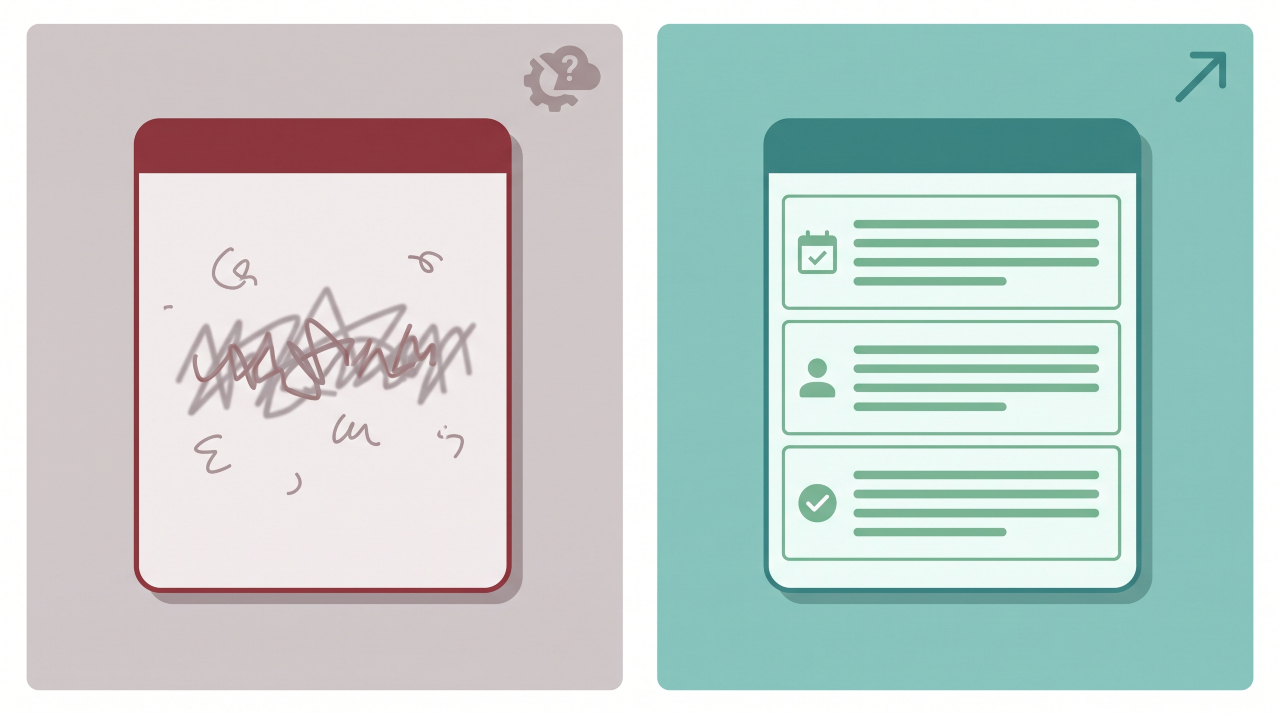
Here’s the difference the template makes in practice.
BEFORE (typical bad CRM note):
“Spoke to James. He’s interested. Will follow up next week.”
This note tells your teammate nothing. What did James say? What is he interested in & what follow-up? When next week? Who’s following up?
AFTER (template-driven note):
Date & Time: 14/05/2025 — 10:30
Contact Name: James Whitfield, Head of Operations, Meridian Logistics
Interaction Type: Outbound call (15 mins)
Who Was Involved: Sophie Chen (Account Exec)Summary: James confirmed they’re actively evaluating CRM solutions ahead of a Q3 implementation. He mentioned they have 12 reps currently using spreadsheets. Budget has been approved but not finalised.
Key Pain Points: Manual data entry is costing his team roughly 4 hours/week per rep. He’s frustrated that their current system doesn’t give managers visibility into pipeline activity.
Commitments Made: Sophie to send product comparison sheet and two relevant case studies by 16/05. James will loop in his IT lead before next call.
Next Step + Owner + Deadline: Discovery call with James + IT lead — Sophie to schedule for w/c 19/05.
Sentiment: Warm and engaged. High intent. Mentioned they’ve spoken to two competitors already.
That second note takes three minutes to write. It saves every person who touches this account — now or in six months — from starting blind.
How to Roll This Out Across Your Team

A template only works if your whole team uses it the same way. Here’s how to make that happen without making it feel like more admin.
Start with a 15-minute team briefing. Share the template, walk through the before/after example above, and explain the one rule: every note should make sense to a colleague who’s never spoken to this contact. That framing shifts people from “filling in a box” to “communicating with their team.”
Pin the template somewhere visible. Add it to your team’s shared workspace, your CRM’s note field default text (many platforms support this), or a pinned message in your team Slack or Teams channel.
Audit a sample of notes weekly for the first month. Pick five notes at random. Ask: could a new team member read this and know exactly what to do next? If the answer is no, coach — don’t punish. Most reps write bad notes because they’ve never been shown a better way, not because they’re careless.
If you’re thinking about this as a leadership habit worth building, our piece on becoming a better leader at work covers how consistent processes like this separate good managers from great ones.
CRM Platform Tips: Where to Put Your Template
Different CRM tools handle note templates differently. Here’s a quick guide:
| Platform | How to Use the Template |
|---|---|
| HubSpot | Paste the template in the “Notes” activity tab. Use snippets (/#) for fast insertion. |
| Salesforce | Add as a default text in the Activity Log notes field, or use a Lightning component. |
| Zoho CRM | Use the “Notes” section under each contact. Create a custom view to make notes visible on account open. |
| Pipedrive | Add as a standard activity note. Use the “Activity” tab and create a recurring template note. |
| Monday.com CRM | Use a custom text column named “Interaction Notes” and paste the template as default content. |
Most cloud-based CRM platforms also allow admins to set note templates at the org level — meaning your team sees the structure every time they open a new note. Check your admin settings first before asking reps to paste manually.
Honest Limitations of This Template
No template fixes every problem, and you should know where this one has limits.
First, a template doesn’t fix a CRM adoption problem. If your team isn’t logging interactions at all, a better structure won’t change that overnight. That’s a culture and accountability issue that needs addressing separately.
Second, longer, more complex sales cycles may need additional fields — things like stakeholder maps, budget approval stages, or competitor positioning. Treat this template as your foundation, not your ceiling.
Third, the Sentiment field requires a degree of professional judgment. Some team members may be reluctant to write anything that feels subjective. Reassure them: this field is there to help colleagues, not to evaluate their performance.
According to Harvard Business Review research on CRM adoption, the biggest barrier to consistent CRM use isn’t the tool — it’s unclear expectations about what good looks like. This template addresses that directly. But you still need leadership buy-in to make it a standard, not a suggestion.
FAQ: CRM Notes Template
What should CRM notes include?
Good CRM notes should include the date and time of interaction, contact name and title, interaction type, a brief summary of what was discussed, any pain points the contact mentioned, commitments made by either side, and a clear next step with a named owner and deadline. The goal is that any teammate can read the note cold and know exactly what to do next.
How do you write good CRM notes?
Write CRM notes for your colleagues, not for yourself. Avoid shorthand or internal references only you’d understand. Use the template structure above, fill in every field — even briefly — and write your summary as if you’re briefing someone who has never spoken to this contact before. Two to four clear sentences beat a paragraph of vague impressions every time.
What is a CRM template?
A CRM template is a pre-set structure your team uses to log customer interactions consistently. Instead of each rep deciding on the fly what to write, a template gives everyone the same fields to fill in — which means notes are easier to read, handoffs are smoother, and no important context gets left out.
How do I organise my CRM notes?
The most effective way to organise CRM notes is by using a consistent structure (like the 7-field template above), tagging notes with interaction type, and always including a next step. Most CRM platforms let you filter or search notes by date, contact, or activity type — but that only works if the notes are written in a consistent format in the first place.
How long should CRM notes be?
Long enough to be useful, short enough to write quickly. The template above typically produces notes of 150–250 words — roughly three minutes to write. Notes longer than that often bury the key information. If you find yourself writing paragraphs, step back and focus on the five things your colleague most needs to know.
Can I use a CRM notes template for email interactions, not just calls?
Yes — the same template works for email interactions. For the Interaction Type field, select “Email” and in the Summary, note the key points of the email thread rather than a spoken conversation. The Commitments and Next Step fields are especially important for email exchanges, where agreed actions can easily get lost in long threads.
Closing: One Change That Pays Off Fast
The single most important thing you can take from this article: stop writing CRM notes for yourself and start writing them for your team.
That shift — from personal record to team communication — is what separates useful CRM data from digital clutter. The 7-field template above gives your team the structure to make that shift without adding significant time to anyone’s day.
Your next step is simple: copy the template from this article, paste it into a shared document or your CRM’s default note field, walk your team through the before/after example in your next meeting, and commit to a four-week trial. At the end of those four weeks, pull five random notes and check if a new team member could pick up where you left off. That test will tell you everything.
For a deeper look at how to build this into your wider contact management process, read our full guide to standardizing CRM contact notes — it covers the broader system this template plugs into.