Quick Answer: HMRC Business Tax Account 2026
The HMRC Business Tax Account (BTA) is the central digital gateway provided by HM Revenue & Customs for UK businesses, limited companies, and self-employed professionals to manage all corporate tax obligations online. Created using a 12-digit Government Gateway Organisation User ID, the portal unifies Corporation Tax, VAT (Making Tax Digital), PAYE for Employers, and the Construction Industry Scheme (CIS) into a single dashboard. Businesses use the account to view tax liabilities, check upcoming payment deadlines, set up Direct Debits, submit digital returns, and authorise accountants or tax agents.
Key Takeaways
- Always register your Business Tax Account as an “Organisation” type rather than an “Individual” account.
- You can manage Corporation Tax, VAT, PAYE, and CIS from a unified online dashboard using a single Gateway ID.
- Enrolling new services triggers a physical security activation code posted to your registered office within 7-10 days.
- Grant accountant access via official Agent Authorisation digital handshakes without sharing master login credentials.
Operating a business in the United Kingdom requires managing multiple fiscal streams: paying corporate profits tax, collecting and remitting VAT, running payroll taxes through PAYE, and filing annual statutory accounts. Historically, each of these obligations required separate paper communications, distinct contact centers, and isolated tax offices.
Today, the HMRC Business Tax Account (GOV.UK Business Tax Account) serves as the digital mission control for UK enterprises. According to official service metrics published by HM Revenue & Customs, over 5 million British businesses use the digital portal to track real-time liabilities, access Making Tax Digital (MTD) software connections, and settle payments securely.
However, navigating the Government Gateway ecosystem can be fraught with administrative pitfalls: setting up the wrong account type, misplacing 12-digit user IDs, failing to enter postal activation codes, or creating multiple conflicting logins.
This authoritative guide details the step-by-step process of setting up and managing your HMRC Business Tax Account in 2026, explaining how to link Corporation Tax, VAT, and PAYE, manage Making Tax Digital compliance, authorise tax agents, and avoid common security missteps.
1. Setting Up Your Business Tax Account: Step-by-Step
Creating your account correctly from day one avoids fragmented tax records and ensures seamless integration with accounting software.
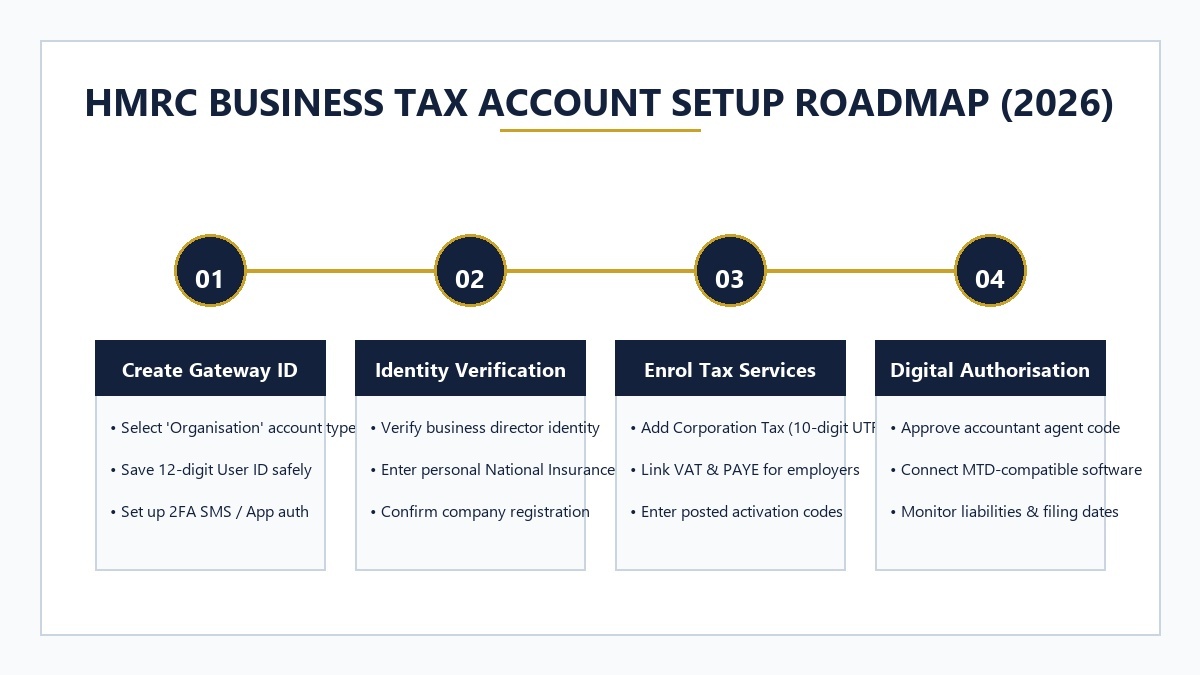
Step 1: Access the Government Gateway Portal
Navigate to the official portal at gov.uk/log-in-register-hmrc-online-services and select “Create sign-in details.”
Step 2: Crucial Account Type Selection (“Organisation”)
When asked what type of account you need, select “Organisation”. Never choose “Individual” for a limited company or partnership, as an Individual account is permanently tied to personal National Insurance numbers and cannot host company Corporation Tax or PAYE employer schemes.
Step 3: Secure Your 12-Digit User ID and 2FA
HMRC will generate a unique 12-digit Government Gateway user ID. Save this number in your enterprise password manager immediately. Configure two-factor authentication (2FA) using an authenticator app (such as Google Authenticator or Microsoft Authenticator) rather than SMS to prevent SIM-swap risks.
If you are registering a brand-new corporate entity before setting up your tax account, follow our guide on how to register a company in the UK.
2. Adding Tax Services: Corporation Tax, VAT & PAYE
Once your master dashboard is active, you must manually enrol each tax duty your business operates:
| Tax Service | Required Information | Activation Method | Key Features in Portal |
|---|---|---|---|
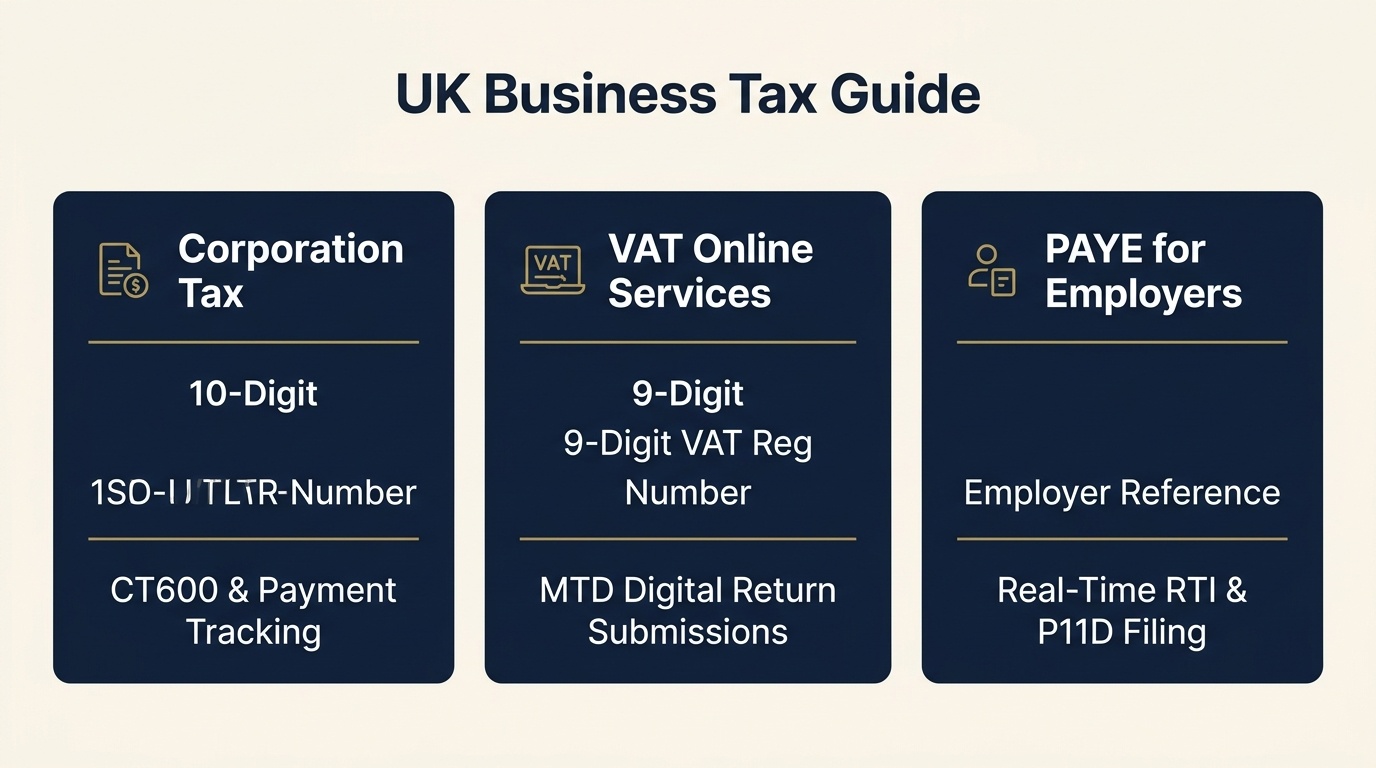
| Corporation Tax | 10-digit Unique Taxpayer Reference (UTR) & Company Registration Number (CRN) | Postal activation code sent to registered office | View liabilities, obtain 17-digit payment reference, file CT600 returns. |
| VAT Online Services | 9-digit VAT Registration Number & effective registration date | Instant verification or postal code | Link Making Tax Digital software, view VAT returns, check refunds. |
| PAYE for Employers | Employer PAYE Reference (e.g. 123/AB456) & Accounts Office Reference | Postal activation code | Monitor RTI submissions, check monthly PAYE/NIC liabilities, file P11D forms. |
| CIS (Construction) | Contractor / Subcontractor UTR & National Insurance number | Online verification | Verify subcontractor tax deduction rates (0%, 20%, 30%) and file monthly returns. |
For guidance on registering when your rolling 12-month taxable turnover reaches the £90,000 threshold, read our guide on when do you need to register for VAT in the UK.
Learn how employer payroll deductions and secondary threshold rates are managed in our guide to employer national insurance contributions 2026.
3. Making Tax Digital (MTD) Integration in 2026
In 2026, the Business Tax Account acts as the central authentication bridge for Making Tax Digital (MTD) compliance:
- MTD for VAT: All VAT-registered businesses must maintain digital accounting records (via Xero, QuickBooks, FreeAgent, or Sage) and submit VAT returns through API-enabled software rather than manual portal entry.
- MTD for Income Tax (ITSA) Expansion: Sole traders and landlords with gross qualifying income over £50,000 are subject to mandatory digital quarterly reporting. From Autumn 2026, HMRC automatically enrols eligible taxpayers into the digital stream.
- Digital Handshake Authorization: You connect your accounting software to HMRC by logging into your Business Tax Account and clicking “Grant Authority.” This token lasts 18 months before requiring re-authentication.
If you operate as an unincorporated sole trader tracking self-employed earnings, model your tax liabilities with our Sole Trader Tax Calculator.
4. Authorising Accountants & Tax Agents
Never share your 12-digit Government Gateway user ID and password with your external accountant or bookkeeper. Sharing credentials violates HMRC security terms and exposes sensitive banking details.
The Proper Agent Authorisation Workflow:
- Your accountant initiates an Agent Authorisation Request from their HMRC Agent Services Account.
- HMRC generates a secure authorization link or code, which your accountant emails to you.
- You log in to your HMRC Business Tax Account, review the requested permissions (e.g. Corporation Tax only, or VAT and PAYE), and click “Approve.”
- The link is established instantly, allowing your accountant to file returns directly from their practice software while you retain full master ownership of your tax portal.
For business owners managing corporate cash balances and dividend distributions alongside accountant reviews, explore our guide to the optimal salary and dividend split.
5. Frequently Asked Questions
Can a sole trader and a limited company use the same Government Gateway account?
No. HMRC strictly advises maintaining separate Government Gateway accounts for personal affairs and corporate entities. You should create an ‘Organisation’ account for your limited company and an ‘Individual’ account for your personal Self Assessment to avoid misallocated tax records.
How long does it take to activate a tax service after adding it to the Business Tax Account?
After adding Corporation Tax, VAT, or PAYE, HMRC typically posts an activation PIN code to your company’s registered office address within 7 to 10 working days. The service remains in pending status until this code is entered online.
Can my accountant manage my Business Tax Account on my behalf?
Yes. Rather than sharing your login credentials, your accountant will send an agent authorisation digital handshake from their HMRC Agent Services Account. You simply approve the request inside your Business Tax Account to grant them filing permissions.
Your Next Actions
- Register an Organisation Gateway ID: Create your master business login at gov.uk with 2FA enabled.
- Enrol All Active Tax Schemes: Add Corporation Tax (10-digit UTR), VAT, and PAYE to your dashboard.
- Verify Postal Codes Promptly: Input activation PINs within 28 days of delivery before they expire.
- Explore Tools: Use resources in our Business Tools Hub.
Editorial Team & Signature
Written by Oliver Carpenter, Founder & Editor-in-Chief at Elite Business Journal. Published September 2026.